I sell enterprise software for a living. I'm not a developer. I'd been trying chatbots since 2022, and they never got me. In spring 2026, Claude did. I used to think AI was just a text generator. That belief is now in my trash bin. Claude became my sparring partner for thinking, and my co-founder for building.
Since then I've built several tools with Claude. Some of them on an official mandate at work, some in the evenings and on weekends, and honestly, the line between the two got blurry fast. This page is the part my CV can't show. The timeline shows how it grew.
My territory held more than 1,000 accounts in our ICP sweet spot. Every one of them had to be sorted and approached systematically, so that each hears from us at least once a year. Territory Manager is the application I built for exactly that. I was given the mandate to explore how AI could change outbound work, and this is what came out of it. After a demo for the team, our Sales Excellence team asked for it to be rolled out more widely. It is currently under review by IT; a global rollout is still to be decided.
Why I built it – A thousand accounts don't fit in a head.
You can't keep 1,000 companies in your memory, and a CRM tells you what happened, not what to do next. I wanted one place that answers three questions every week: which account, which person, and why now. And I wanted the research to scale: AI-based research across more than 1,000 accounts and every industry we target, so I see trends before they show up in a forecast.
How it's built – From raw data to Monday's cadence.
Account data
Buying signal scan
Sorting signals: act, investigate, keep watching
Weekly cadence list for business development and my own executive outreach
Every step can be driven by Claude, but it all happens inside the application, and nothing changes until I confirm Claude's edits. The AI does the legwork. I make the calls.
What it changed – Thousands of signals, a short list.
In one run it sorted about 3,000 signals and worked through 2,000 of them. What lands on my desk each week is a short list with a reason attached to every name. Colleagues started asking if they could use it too, which is the best review a sales tool can get.
Sales OS
Sales OS
What it is – A full assistant for an account executive.
Sales OS started with preparation. Before every customer meeting it gave me a briefing, sometimes six pages long, to get me into the customer's world. Today it does a lot more: after a call, one debrief sets off a cascade – a same-day follow-up email, suggested updates for the CRM fields, and a living deal file that keeps what was actually discussed. It builds presentations and every kind of material in our corporate design, has its own knowledge base, prepares briefing documents for partners and solution architects, and gets me ready for forecast calls. If I'm in the mood, a coach joins in, tailored to the sales methodologies I work with, to keep me sharp on them every day. And sometimes it's simply where I go with a tricky question or a bad day.
Why I built it – To get as good as I can, fast.
I had to learn a new market from scratch. My customers had problems I'd never dealt with before, and I needed help to put myself in their shoes before I walked into the room. So I built something that prepares me for conversations. The rest grew from there. Along the way one rule became non-negotiable: every deal has its own file, and nothing from one customer ever leaks into another customer's context.
How it's built – Keywords in, the right context out.
A keyword triggers the matching skill
Scripts assemble the context
Claude works its way to the right files in the repo
Output follows company processes and every rule that applies
Every statement in a deal file carries a tag: confirmed, hypothesis, or still open. So I always know what I actually know.
What it changed – I stay ahead of my pipeline.
Every day it tells me what to do next, what matters for my next meeting, and where I can get better. Today's debrief is tomorrow's prep. In my own words, the day it finally clicked: "This version lets me finish work in peace again."
TeleScripter
TeleScripter
What it is – It listens from the first idea to the last word on stage.
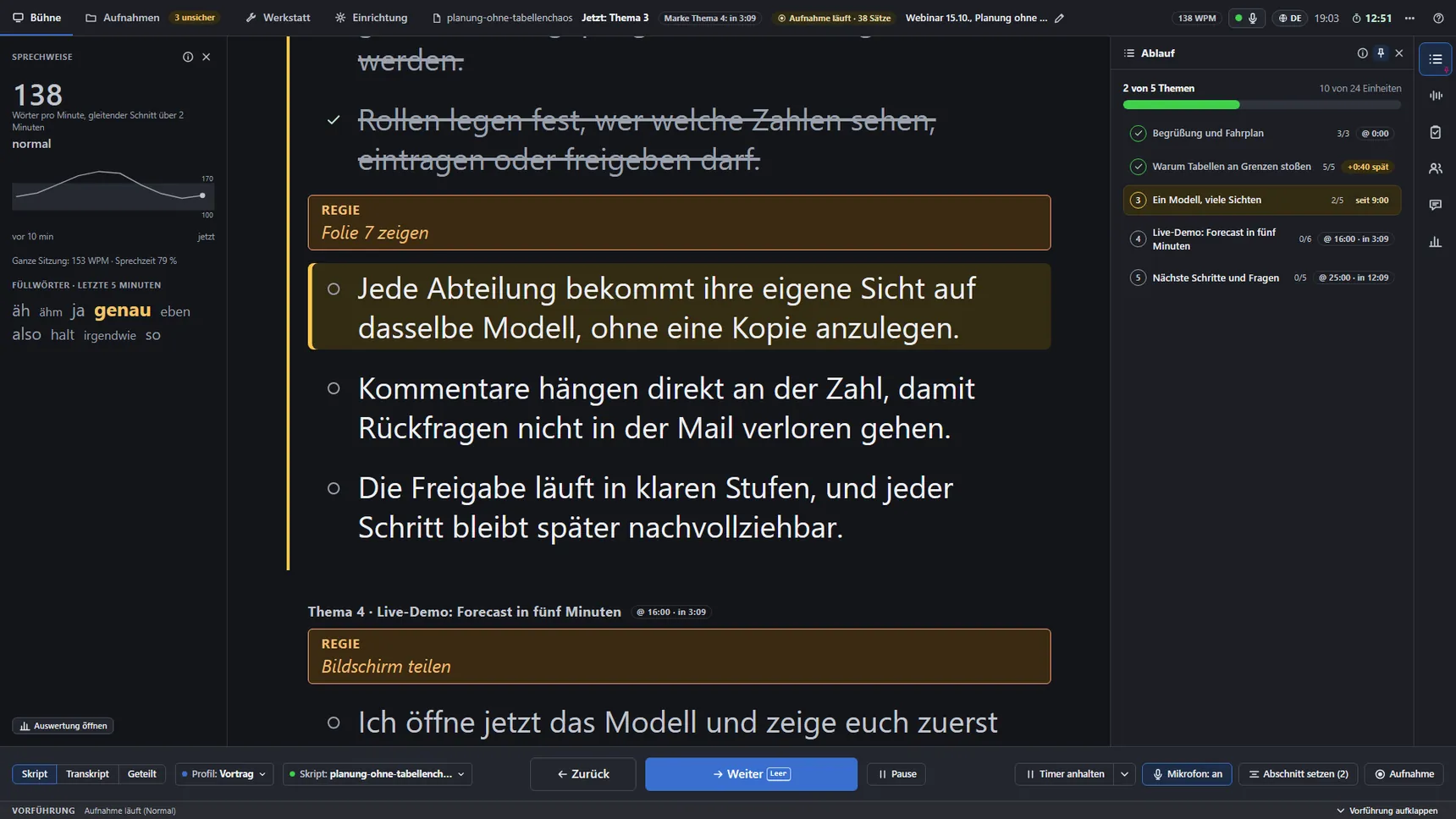
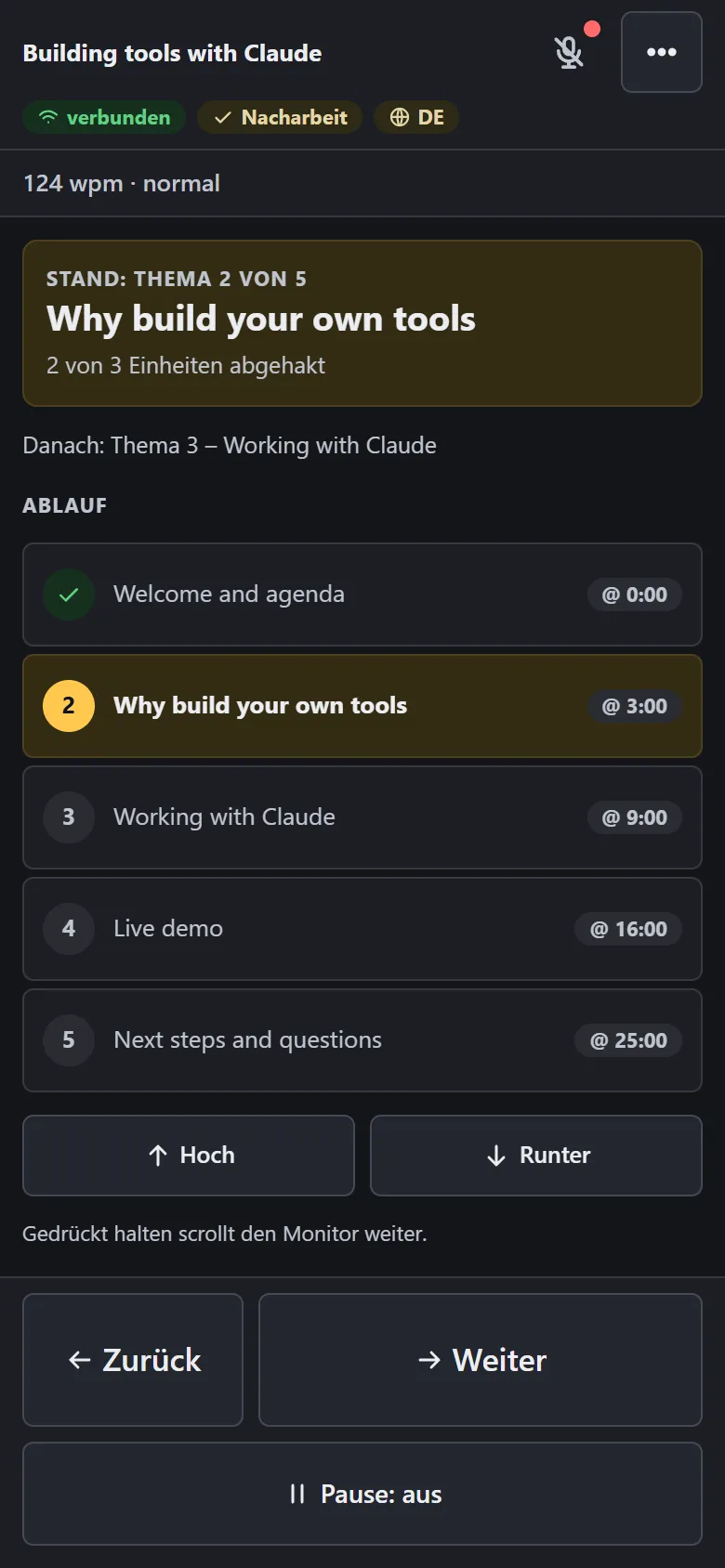
My talks don't start on paper, they start in conversation, often thinking out loud with an AI. TeleScripter listens from that very first moment. It sorts what was meant for the talk from what was just discussion, writes the talk I've been sketching on the side, and turns it into a script. On the day itself, it runs live on a screen above my laptop as a safety net while I speak (at least when I present from my home office, which is where I belong).
Why I built it – I think best when I talk.
Reading a script word for word sounds like reading a script. I wanted a tool that catches the ideas while I talk, and later lets me drop the script and speak in my own words. Names in the script work as anchors, so I always know where I am.
How it's built – From conversation to stage.
Talk it through
Sort talk from discussion
Script and cue cards
Rehearse with live transcription and feedback
Live on a second screen during the talk
It sets timestamps, measures my speaking pace and flags my favorite filler words live, while I'm still saying them. Everything runs locally on my own machine. Next on the list: live checks against my sales methodology. For that, my 8 GB graphics card will need to grow up first.
What it changed – Writing speeches stopped being typing.
I used to type a script by hand, go through it, mark it up and rehearse it again and again to make sure the length was right. Now I talk, and the speech writes itself around me. Preparing a talk has become automatic and intuitive.
The Visualizer
The Visualizer
What it is – Music you can watch.
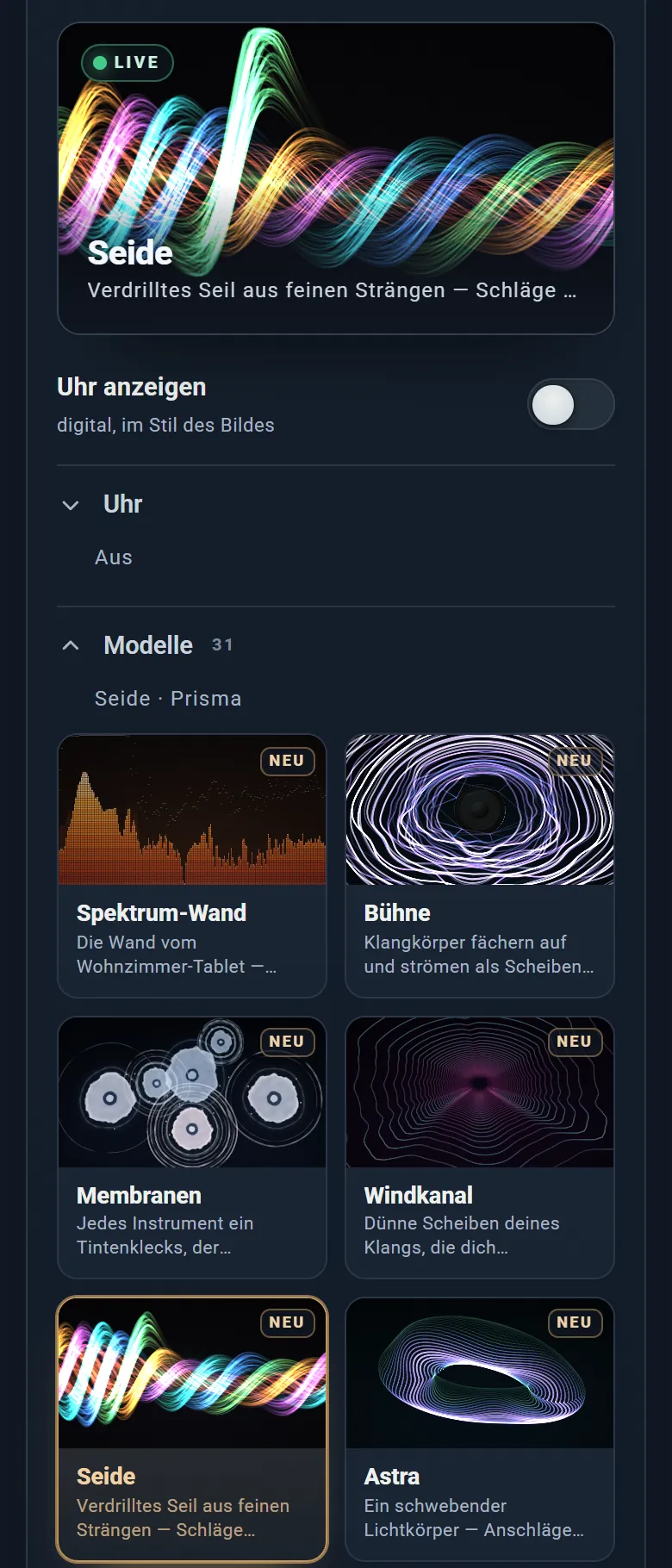
I missed the old Windows Media Player and Winamp visualizations, so I built my own. God, was I underestimating this. Today there are 31 visualizers, each in 21 designs, running in real time on my TV. My favorite is "the rope": twisted strands around a spinning core that fan out on every hit. They live inside the control app of my Raspberry Pi, which I customized from top to bottom with Claude. The Visualizer is just the part that looks best in a screenshot.
Why I built it – First I had to fix the sound.
I listen to music every free minute. For years it ran through my TV, which quietly resampled everything to 48 kHz. When I finally rebuilt the chain on the Pi, lossless and bit-perfect into my Nubert speakers, I had to listen to my entire library again. How painful. Then I wanted to see it, too. A sound hits you in a split second and keeps working on you for seconds after, especially the bass. I wanted a picture that feels like that.
How it's built – Two paths, one listening session.
Lossless player on the Pi
bit-perfect into the speakers
Read the same signal separately
160 frequency bands
kick, snare, hi-hats, toms, bass and melody, plus a beat grid
each one moves the picture its own way
The sound path is never touched by the picture. The analysis runs next to it, so nothing I do on screen costs the music a single bit.
What it changed – I can finally show what I hear.
I grew up with nine years of music school, piano and organ. Being able to design my own feeling for music as something visible is a joy I didn't expect from a side project. And the TV? It finally adds a dimension to the music instead of quietly taking one away.
Coding Memory
Coding Memory
What it is – My coding memory (I have a private one too, but that's... private, y'know?).
When I come back to a project, it brings up the open work, the decisions I made and the reasons behind them. It works without me operating it: Claude reads from it, writes to it and maintains it on its own, so it gets better with every session.
Why I built it – Because I'm lazy.
Honestly. I didn't want to explain my projects and my way of working over and over again. Now it's one sentence: "Hey, check the memory." Developers save snippets. I needed continuity: decisions, patterns, lessons, each marked as fact, assumption or open question. When something proves me wrong, the new entry points back to the old one.
How it's built – From one session to the next.
Record the decision and the evidence
Find it by keyword, date or meaning
Check whether a newer entry replaced it
Claude keeps it tidy on its own
Coding Memory architecture: one record, several ways back to it
Coding assistant
⇄
MCP tools
→
Structured records
Chronological keyword lookup
or
Semantic search via vector index
→
Full source retrieval
Corrected entry
↪
Supersedes old entry
→
Recalled next session
What it changed – I never start from zero again.
Building a proper memory system saved my life. I don't have to start over with any model that supports MCP, ever again.
MeMo
MeMo
What it is – One day in my life, any day.
Pick a date. MeMo shows me what that day looked like: the photos I took, the music I played, the people I wrote to. Tens of thousands of digital traces on one timeline, from a single afternoon to a whole year.
Why I built it – Memory fades, data doesn't.
Everything I've ever kept was scattered across phones, drives and services. I like data, and the dataset I find most interesting is my own life. I wanted to see what it looks like and what it tells when you bring it all together. Microsoft Research tried this twenty years ago with MyLifeBits. I wanted my own.
How it's built – From a date to the whole picture.
Photos, messages and listening history, read-only
Pick a person, a song or a day
Open everything around it
What it changed – Years I can walk through again.
Days, weeks, months and whole years became tangible again, as fully as the traces allow. And it gave me something rare: an outside view of myself, in numbers.
CV / Profile
Jonathan Eichler
Enterprise software sales
Seven years of full-cycle B2B SaaS sales across planning and FP&A, workforce management, and accounts-payable automation.
Former CFO responsible for finance, budgeting, liquidity, accounting, purchasing, and HR.
Native German and fluent in business English.
Jonny's PC
This page
Made on a weekend. Concept by me. Built and written with Opus 5.5 and GPT-6.2 Astra.